
Android 7.0+ · English and Dutch
Hum it. Play it back. Take it to Ableton.
Record a melody or bassline and Hummidy turns what you sing into editable notes. You can also tap a kick rhythm with your fingers. When it sounds right, export a standard MIDI file and drag it onto a MIDI track in Ableton Live.
I can’t read music, but I started making it anyway in 2024. Ever since then, I’ve been looking for an app that could turn my humming into MIDI. I still hadn’t found what I wanted, so I vibe-coded it myself. And holy shit, I’m so happy with it! Finally, an app that does what I want. Vibe coding for the win! :-)
Update
As it turns out, I found some apps that claim to do similar stuff. I tried a few and wasn’t happy with the results. So I’m going to keep working on this project and perfecting it!
Version 0.23 · Free prototype
9 downloads
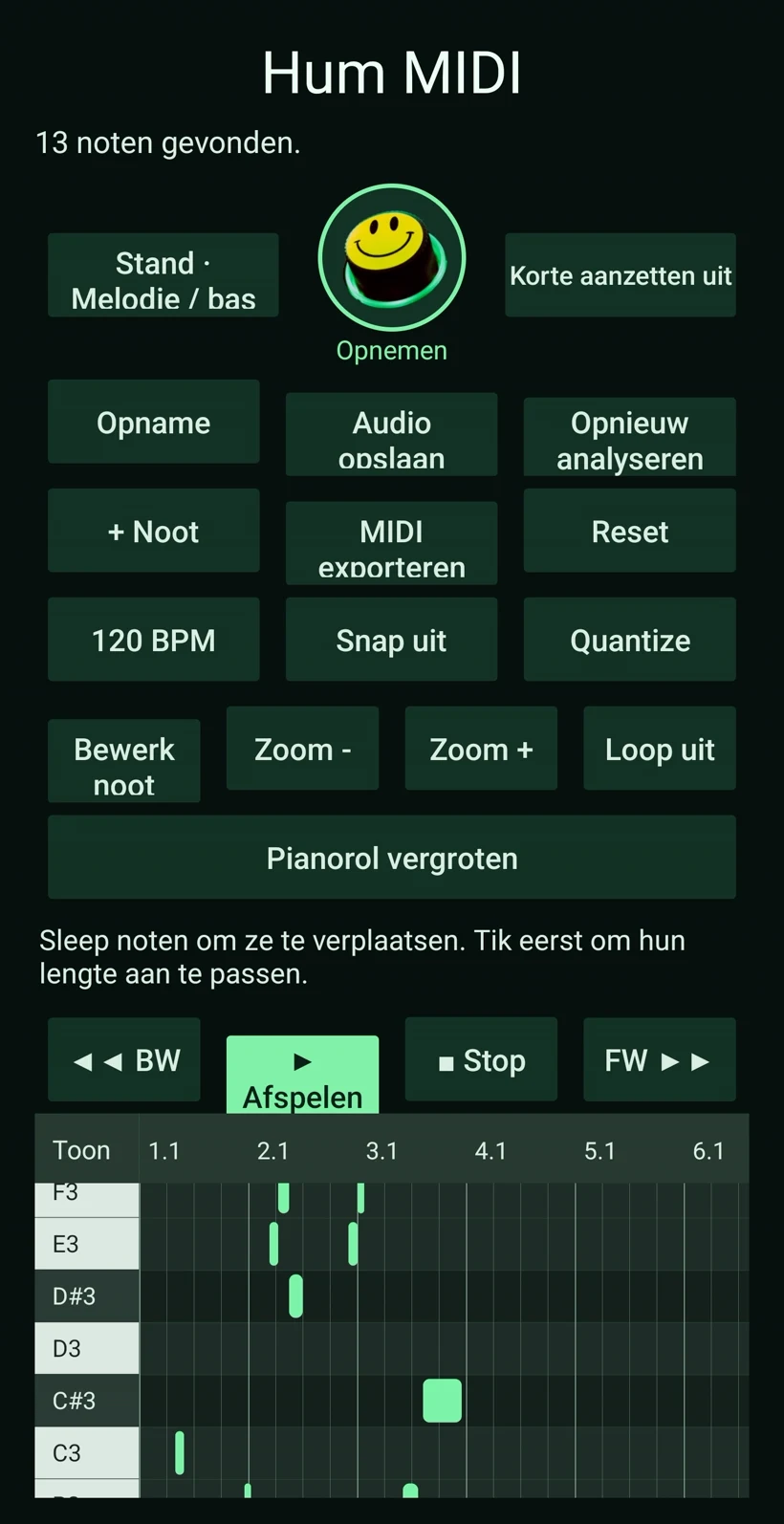
Shape the idea before you export
Tap notes to hear them, drag to change timing or pitch, and pull their edges to adjust the length. Set the BPM, loop a few bars, or quantize the whole take to a beat grid. Expand the piano roll when you need more room.
Compare two analyses of a take
Enable Short attacks for quick repeated notes that run into a held tone. Reanalyze a take and listen to both versions before applying one. Undo restores the notes you had before applying, including your edits.
Install on Android
- Download the APK on your phone and open it.
- If Android asks, allow the browser or file manager you opened it with to install the app.
- Open Hummidy and grant microphone permission to record. Use the share menu to send MIDI to Google Drive, or save it as a file.
The app stores your latest take locally. Pitch recognition works best with one clear note at a time. The iPhone and iPad version is in development.